

Justin Cooney

Web Development Tips and Examples

  • Why Internet Explorer blocks cookies in an iFrame
    Why Internet Explorer blocks cookies in an iFrame

    The Challenge:

    IE blocks cookies from pages that are called in an iFrame. In my case this involved an ASP.NET application called from a Drupal CMS via a jQuery-based FancyBox.

    Details:

    Today I ran into an interesting IE problem that was tricky to track down.

    A few years ago I inherited a simple but useful ASP.NET application that tracks the Latitude, Longitude, and Elevation of satellites for a geographic location.

    This application works well for IE, Firefox, and Chrome when one browses to it directly. However, recently the third party company that maintains our corporate Web site was told to link to the application and all of a sudden I started hearing complaints about how it is unstable and is not working.

    When I started looking into things it certainly seemed to be an IE issue… Chrome and Firefox would run the application without any problems. I tested several versions of IE with the same result: IE 6, 7, 8 & 9 all behaved the same way except for one user who has IE 7 for whom the application mysteriously worked. (more…)
  • Configuring a New Web Site in IIS 7
    Configuring a New Web Site in IIS 7

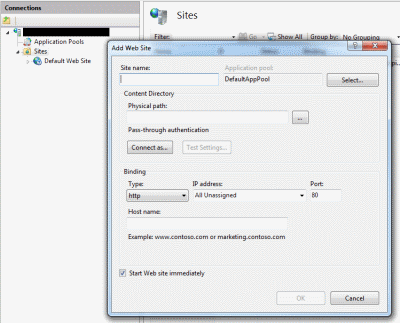
    In this article I will review the steps needed to get IIS 7 (on Windows 2008 server) hosting ASP.NET pages. I cover the basic steps to set up IIS7  in a previous article at:  https://jwcooney.wordpress.com/2011/08/17/iis-7-on-windows-7-setup-steps-to-get-iis-running-asp-net-files/

    When working with a fresh installation of IIS 7 there are a few steps that need to be taken when setting up a new ASP.NET Web site. In this case I will show how to set up a new site running ASP.NET 2.0 that will use Windows Impersonation as an Authentication method.

    1. First open IIS (‘Start’, then ‘All Control Panel Items’, then Administrative tools, then Internet Information Services (IIS) Manager).

    2. For starters we will need to make sure ASP.NET 2.0 has been registered under the Application Pools section. The Application Pools section is right below the server name In IIS. (more…)

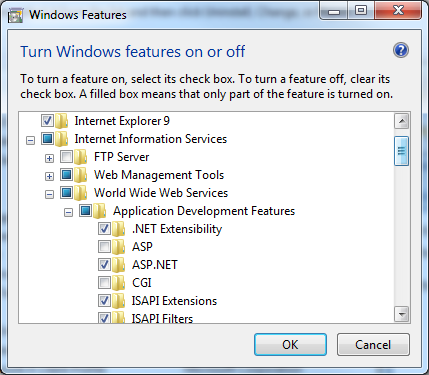
  • Turn Windows Features on or off
    IIS 7 Component Setup

    Today I am looking into setting up IIS 7 on a new Windows 2008 server and getting it to serve an ASP.NET 2.0 built Web Site. I am used to doing this using IIS 6 on Windows 2003, but it looks like things have changed quite a bit with IIS 7.

    In my case the IIS 7 setup on Windows 2008 has to happen on a remote server so before I start configuring things I am testing setting up IIS 7 on my development machine which is running Windows 7. I am hoping this will give me a good basis even though the version of Windows is different.

    I found a good article on TechNet that gives an overview of both installation methods. This article can be found at:

    http://technet.microsoft.com/en-us/library/cc731252%28WS.10%29.aspx .

    These are the steps I just went through when setting up IIS 7 on my Windows 7 machine:

    1)      I click ‘Start’, then ‘Control Panel’, and then browse to ‘All Control Panel Items’. (** Did I mention how irritating I find the new Windows ‘Feature’ of limiting what one sees under the traditional ‘Control Panel’ so that one has to default to ‘All Control Panel Items’ now instead).

    2)      Then click ‘Programs and Features’, and in the pop-up window click on the option ‘Turn Windows Features On or Off’. (more…)